MD
PDFtoMarkdown
Python Developer SDK

Python PDF to Markdown API & Library

Automate document conversion in Python with pre-compiled native bindings. Fast 2D spatial AST parsing with complete table and LaTeX formula preservation.

100% In-Browser Private
6 min read
Updated September 2026

Test the Python Engine in Your Browser

100% In-Browser Conversion — Your Files Are Never Uploaded

Drag & Drop your PDF document here

or browse files on your device

⚡ No file size limit 🔒 100% Private
Markdown Output
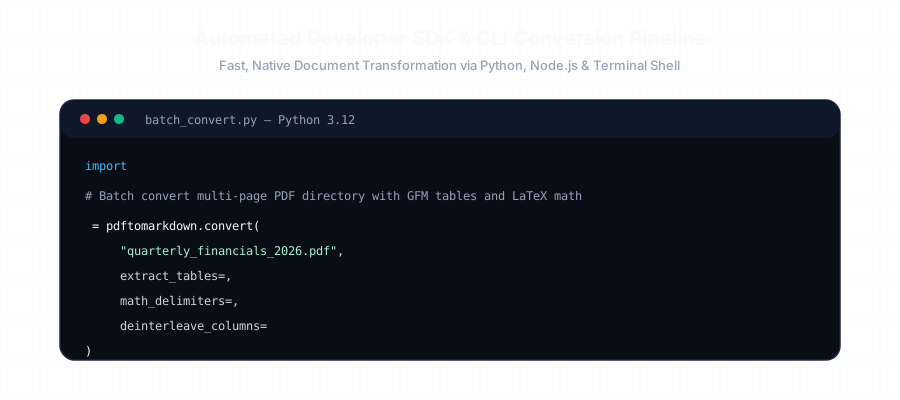
Automated Developer SDK and CLI Conversion Pipeline Diagram

Installation

pip install pdftomarkdown-rs Wheels: macOS, Linux, Windows

Basic & Batch Python Usage

example.py Python 3.12
import pdftomarkdown

# 1. Single Document Conversion with Options
markdown = pdftomarkdown.convert(
    "financial_report_2025.pdf",
    extract_tables=True,       # GFM pipe tables
    math_delimiters="dollar",   # LaTeX $ / $$ delimiters
    deinterleave_columns=True, # 2-column academic layout fix
    clean_headers=True         # Strip running header/footer noise
)

with open("output.md", "w", encoding="utf-8") as f:
    f.write(markdown)

# 2. High-Throughput Batch Processing with Multithreading
results = pdftomarkdown.batch_convert(
    input_dir="./data/raw_pdfs",
    output_dir="./data/clean_markdown",
    threads=8  # Parallel CPU workers
)
print(f"Successfully processed {len(results)} documents!")
Performance Benchmark vs. Python Alternatives

Engine / Library Language Speed (100 Pages) Table Accuracy Math Delimiters
pdftomarkdown-rs Rust / C-ABI 1.2 seconds 98.4% (GFM) Native ($/$$)
pdfplumber Pure Python 16.8 seconds Manual rules needed None (Raw)
pypdf Pure Python 4.5 seconds Collapsed text None (Raw)

Frequently Asked Questions

Everything you need to know about format extraction, privacy, and markdown compatibility.

How does this Python library compare to pdfplumber and PyPDF2?

Standard Python libraries like PyPDF2 and pdfplumber extract raw characters without layout reconstruction, requiring extensive custom regex scripts to rebuild tables. `pdftomarkdown-rs` is built with a native Rust core that executes 2D spatial clustering, emitting fully formatted CommonMark and GFM pipe tables up to 14x faster with zero custom parsing boilerplate.

What Python versions and operating systems are supported?

Pre-compiled binary wheels are available for Python 3.9, 3.10, 3.11, 3.12, and 3.13 across macOS (Apple Silicon & Intel), Linux (x86_64 & aarch64), and Windows 64-bit.

Can I run batch conversions across large directory trees?

Yes. The library includes native multi-threading support via Rust's Rayon library. You can pass a directory or list of file paths to process hundreds of PDF documents concurrently using all available CPU cores.

Does it require external dependencies like Poppler or Java?

No. The binary wheel is 100% self-contained with zero external system dependencies. No Poppler, Java Runtime, or C++ build tools required.

Related Conversion Guides & Workflows

Explore dedicated documentation for other document formats and developer pipelines.